Purchase Order - Vendor Bill Dashboard
How to Access
Purchase -> Orders -> Purchase Awaiting Bills
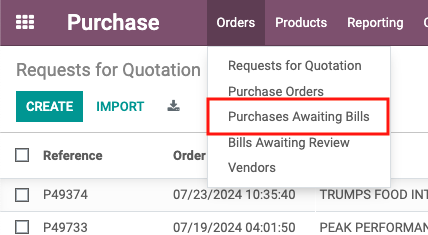
Main Screen
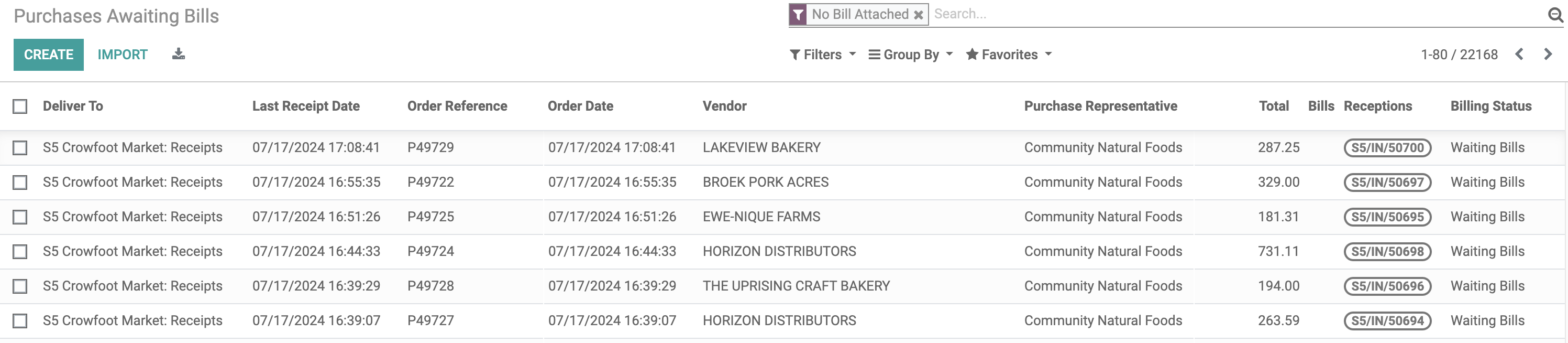
Deliver To: The store Location where Purchase Order is set up to be delivered
Last Receipt Date: The most recent date when receiving was recorded for the Purchase Order in the picking
Order Reference: The Purchase Order number
Order Date: The date when the Purchase Order was created
Vendor: The name of the vendor from whom the goods are purchased
Purchase Representative: The name of the purchaser responsible for the Purchase Order
Total: The total amount of the Purchase Order
Bills: Any Bills associated with the Purchase Order
Receptions: A list of transfer numbers associated with the receipt of goods
Billing Status: The current status of invoicing for the Purchase Order
- Nothing to Bill - No receiving has been processed
- Waiting Bills - Receiving has been processed, but no invoice has been created
- Fully Billed - Receiving has been processed and an invoice has been created
Helpful Tips
Group By
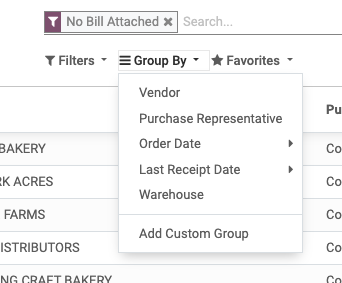
Different Options to Group By:
Example: Setting Last Receipt Date as 'Weekly' and Select Warehouse results:
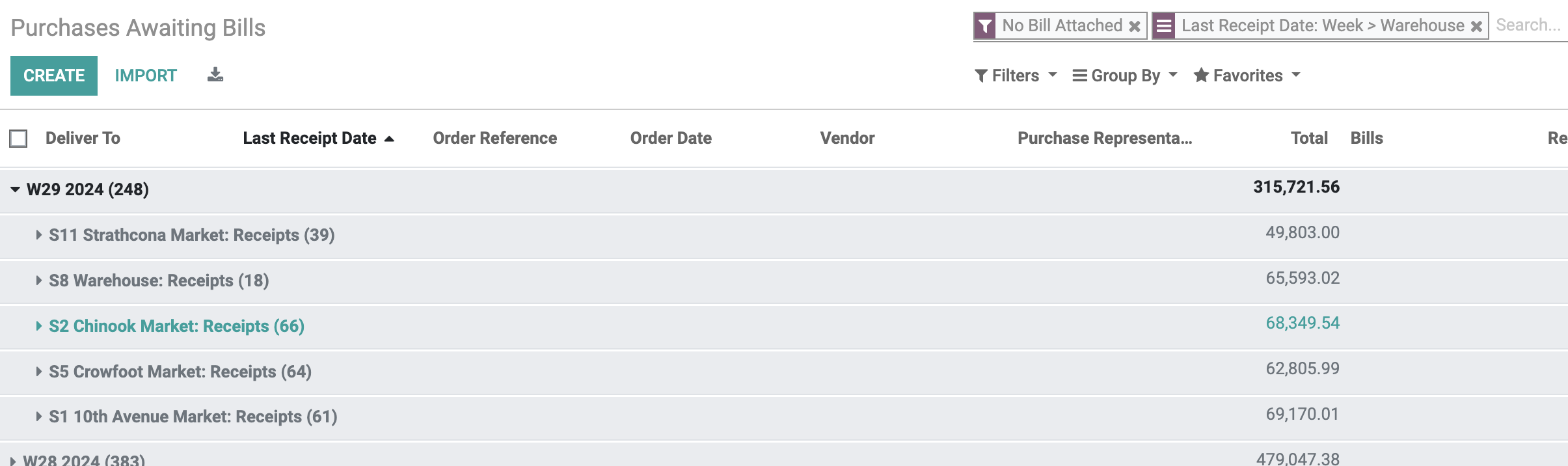
This view allows the user to see Purchase Orders that are missing invoices, organized by store and grouped by week number
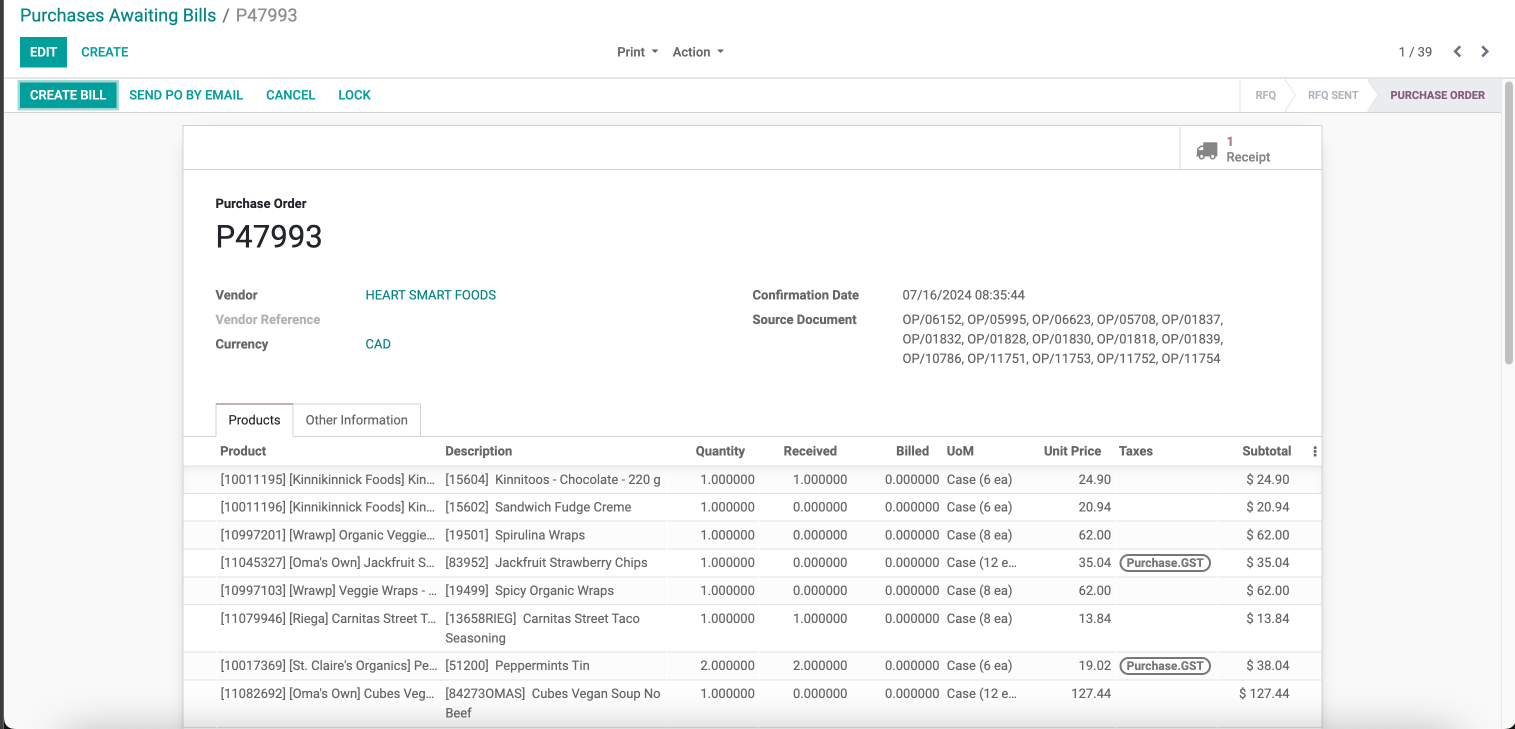
Clicking on the specific record
Clicking on a record will redirect the user to the detailed view of the associated Purchase Order
Training
- Access the Purchase Dashboard:
• Open your application and navigate to the Purchase Dashboard - View Purchase Orders:
• The dashboard displays Purchase Orders missing invoices
• Try to group orders by week number and organized by store location - Understanding the Dashboard Fields:
• Deliver To: Store location for delivery
• Last Receipt Date: Most recent date when receiving was recorded
• Order Reference: Purchase Order number
• Order Date: Date when the Purchase Order was created
• Vendor: Name of the vendor
• Purchase Representative: Name of the purchaser who created the order
• Total: Total amount of the Purchase Order
• Bills: Any bills attached to the Purchase Order
• Receptions: List of transfer numbers associated with the receiving
• Billing Status: Status of invoicing (Nothing to Bill, Waiting Bills, Fully Billed) - Clicking on a Record:
• To view details of a specific Purchase Order, click on the record
• This will redirect you to the associated Purchase Order - Review Purchase Order Details:
• In the detailed view, you can see all relevant information and actions related to the Purchase Order including any receiving records and any associated invoices - Confirm Findings with the Related Store
• Confirm that receiving has been processed, but the invoice has not yet been scanned