Paying Vendor Bills
Once vendor bills have been approved and posted in Odoo, they can be paid using different payment methods.
Navigating to Vendor Bills
- Open the Accounting module in Odoo.
- Go to Vendors > Vendor Bills.
- Locate the bill that needs to be paid using the search bar or filters.
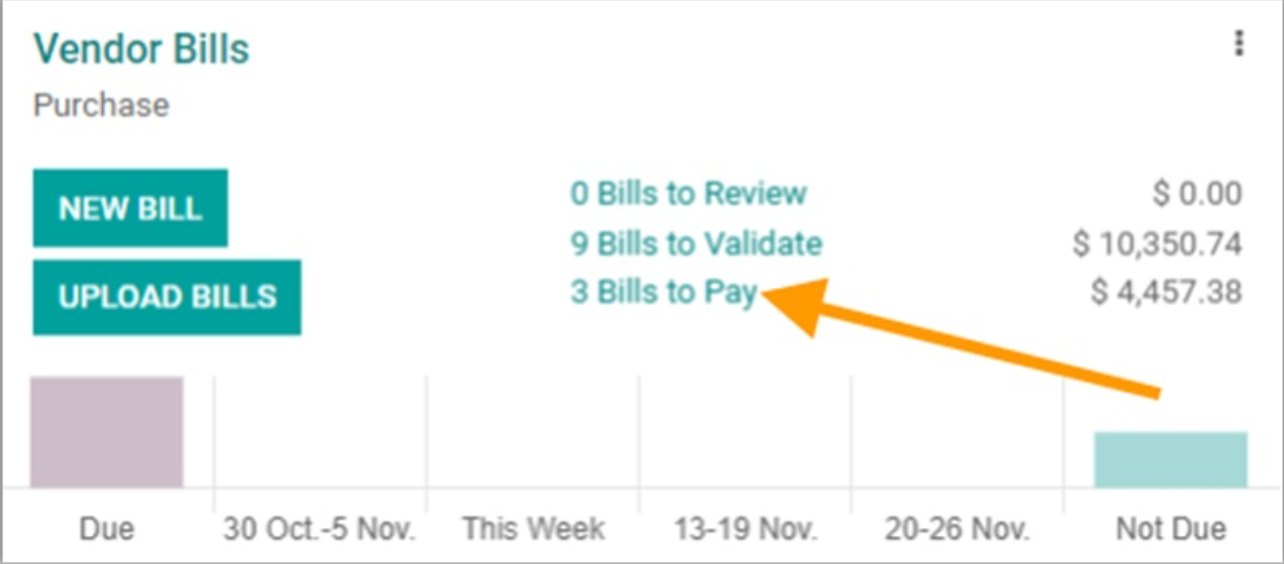
Selecting the Vendor Bill for Payment
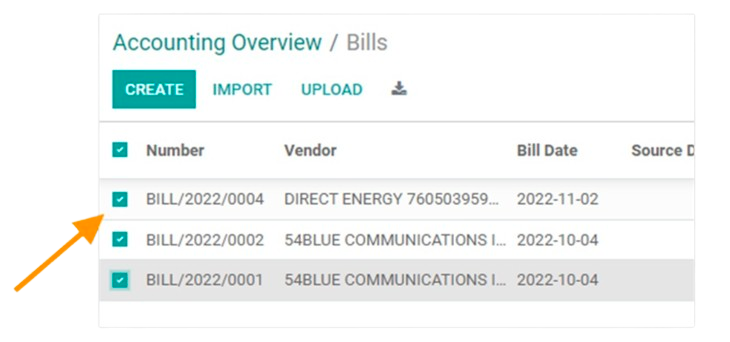
-
Open the Vendor Bill that is ready for payment.
-
Click Register Payment.
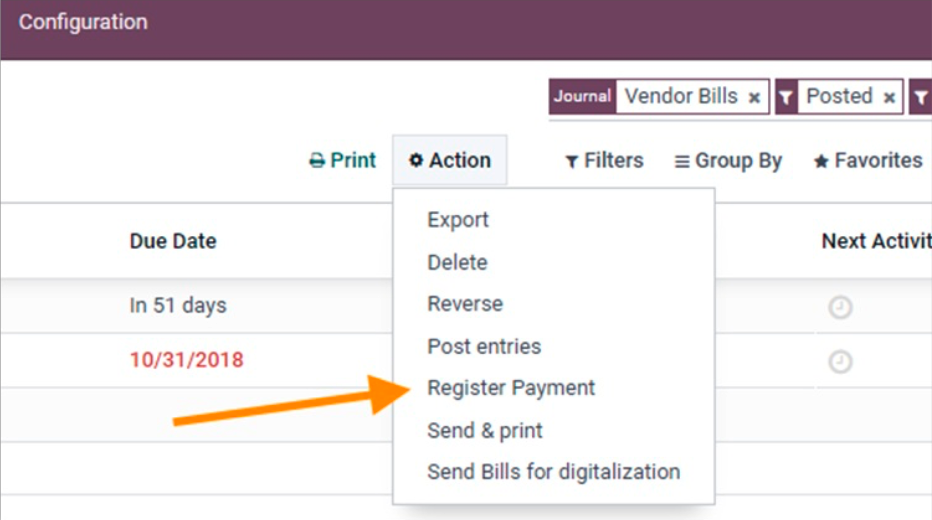
-
The Register Payment window will open.
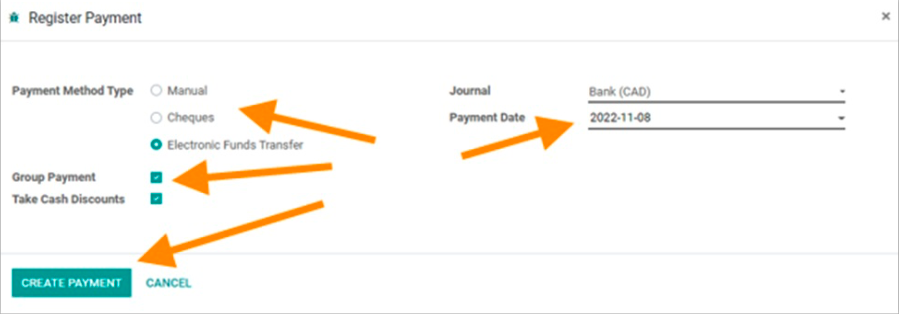
Registering a Payment
-
In the Register Payment window:
- Choose the Payment Method Type, whether it is Cheques, Electronic Funds Transfer or Manual.
Note: Manual payments should be used if you are performing the payment via another means, such as online bill payment or wire transfer.
- Select the Payment Journal (e.g., Bank, Cash, etc.).
- Confirm the Payment Date (the date the payment will be effective).
- Group Payment will create one payment GL line per vendor/bank/currency.
- Task Cash Discounts will automatically deduct early payment discounts if a vendor bill qualifies for it.
- Choose the Payment Method Type, whether it is Cheques, Electronic Funds Transfer or Manual.
-
Click Create Payment to finalize the payment.
Verifying the Payment
- Once the payment is registered, the bill status will change to Paid.
- You can check the payment details under the Journal Entries section.
- If needed, print or download the payment receipt from the payment record.
Company Information
Community Natural Foods Head Office
AB, Canada
Website
GST: 101072080RT0001