Reordering
How Reordering Rules Work
Reordering Rules run every night after midnight. These rules are responsible for automatically generating Purchases and Warehouse Transfers to help maintain inventory levels at the warehouse and store.
Rules that procure from the same vendor will merge together in the same draft Purchase Order. If a Purchase Order is left in draft, each night the PO may be updated with new or updated lines from rules from the same vendor or procurement group.
If a product is setup to be resupplied from the Warehouse, the reordering rules for these products will generate a warehouse transfer instead of a Purchase Order.
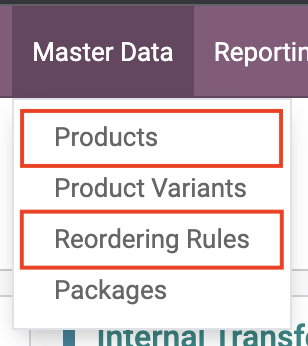
Access Reordering Rules
Go To Inventory Module

Select Reordering Rules to Access All Rules
Select Products to Access rule for specific Product
Requirements
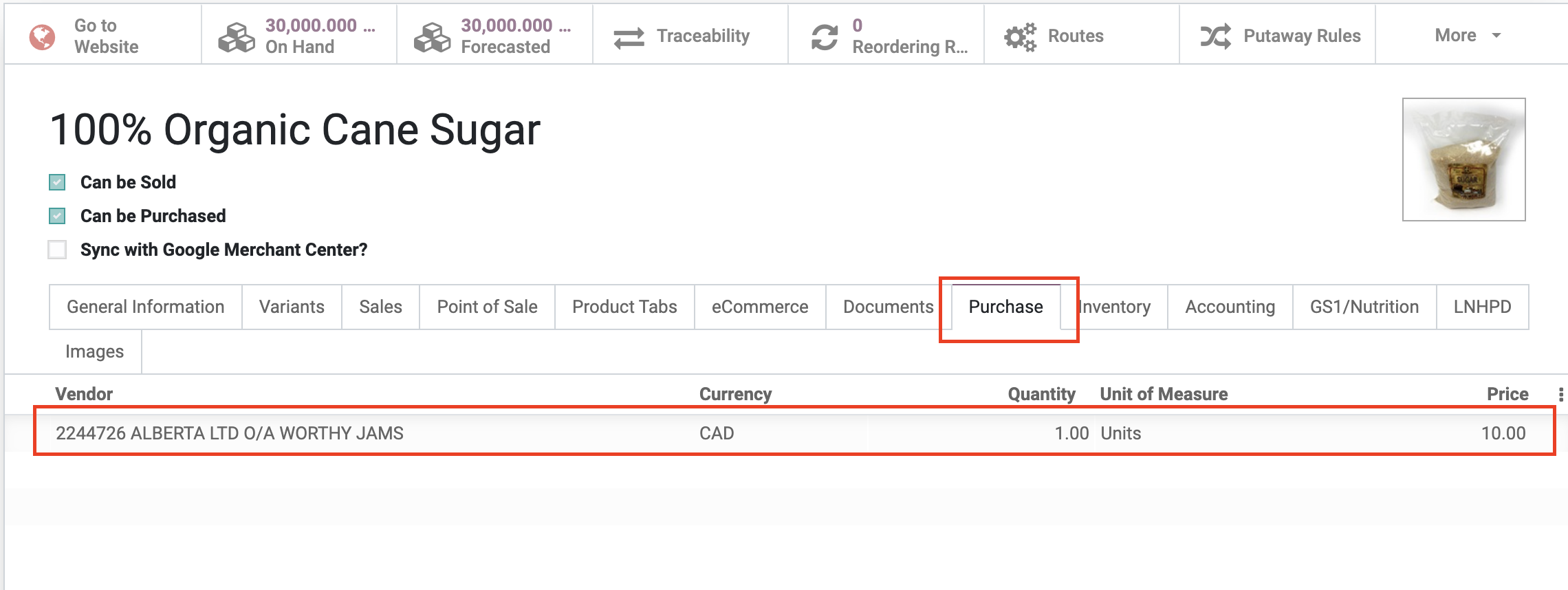
Ensure a Vendor Price on Product
Vendor Pricelist information is sync'd periodically from OpenTaps and the Vendor Portal. A pricelist item is required in order for a PO to be generated for reordering rule.
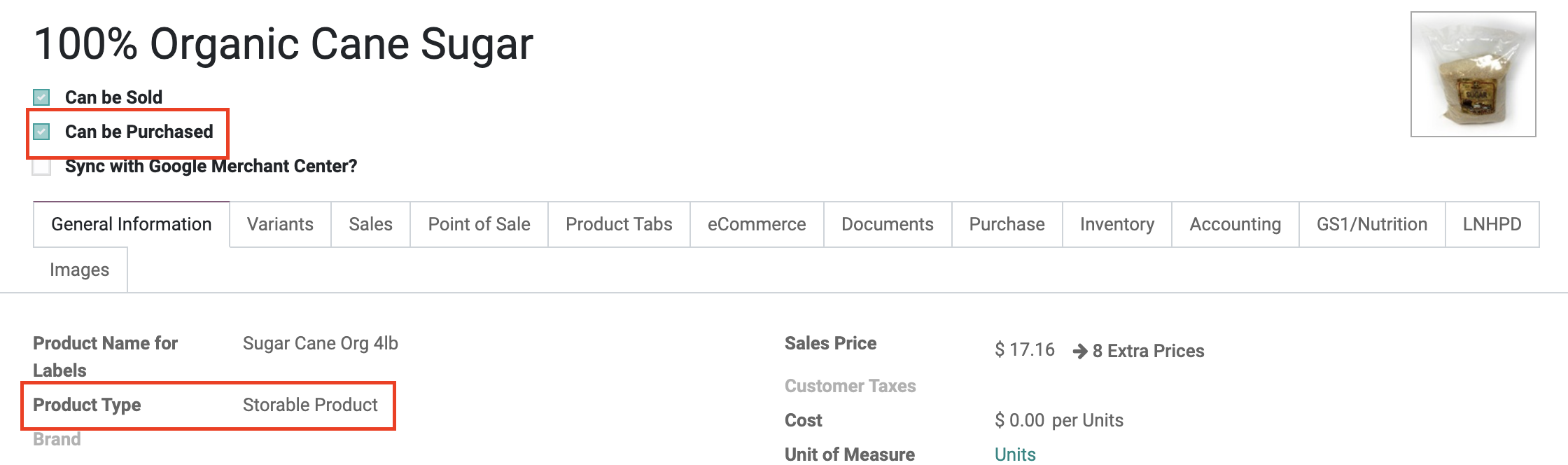
Setup a Product to be purchasable and storable
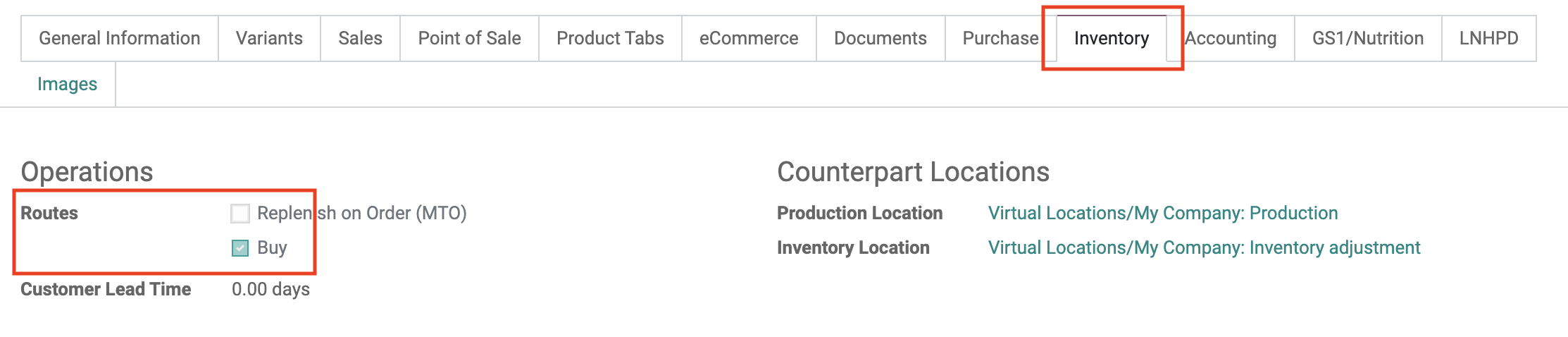
Setup an operation of the product
Creating Reordering Rule
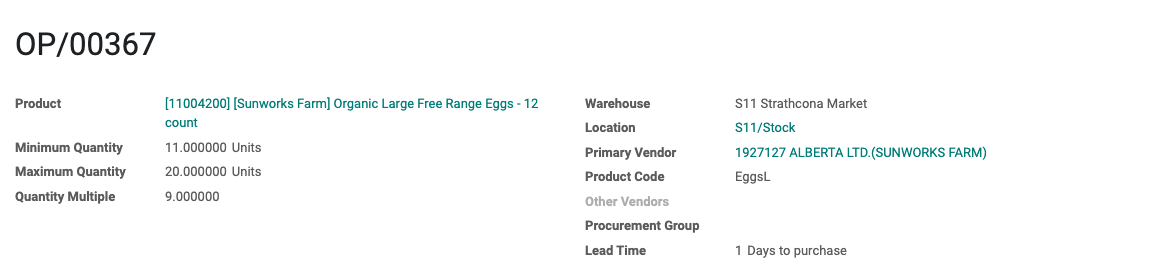 Product: Product for the rule
Minimum Quantity: Minimum quantity Odoo will generate procurement if the stock is below or equal to the value
Maximum Quantity: Maximum quantity Odoo will generate procurement to bring the forecasted quantity to the value
Quantity Multiple: Used to round the procurement quantity up to this multiple. If it is 0, the exact quantity will be used
Warehouse: Warehouse where the reordering rule will be applied to
Location: Location where the stock of the product will be tracked and delivered to
Primary Vendor: The name of the main supplier for the product. This vendor will be used to create the Request for quotation (RFQ) based on the vendor's pricelist set for the product
Product Code: The unique identifier assigned by the primary vendor to the product. This code will be referenced when creating the RFQ to ensure accurate identification and ordering
Other Vendors: Additional vendors with active pricelists recorded for the product
Procurement Group: Use to group reordering rules together separately from other rules.
For example, Refrigerated products may need to be procured on their own PO, separate from non-refrigerated products.
In this case, you could tag all the refrigerated reordering rules with the Refrigerated procurement group.
Lead Time: Number of days after the order point is triggered to receive the products or to order them to the vendor
Stock Planner Addition
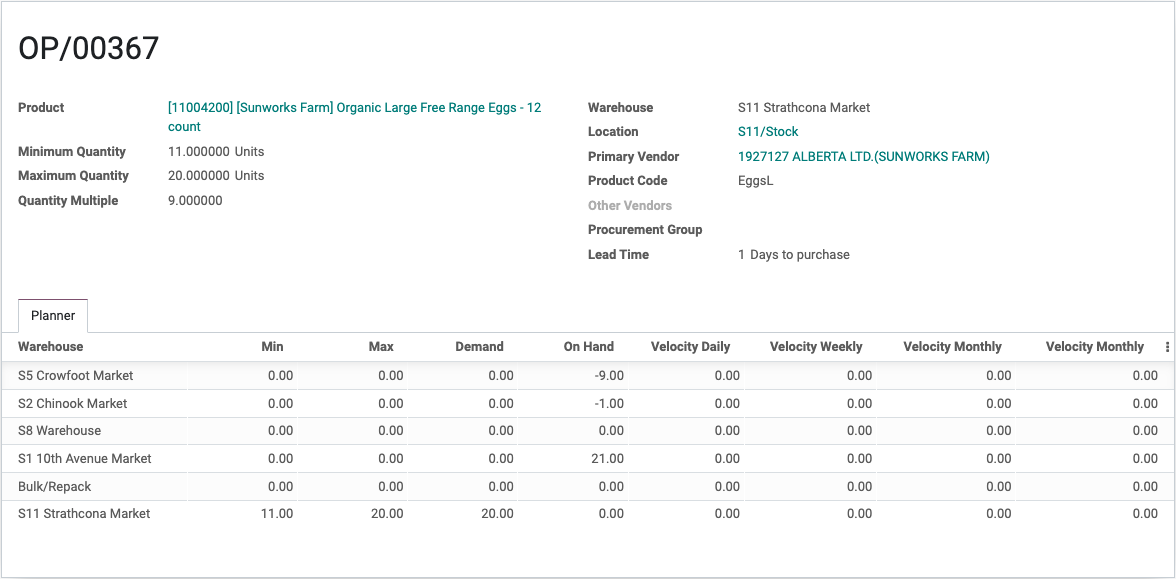
Description
- The treeview in the reordering rule screen offers a display of reordering rules for a product across different locations. It enhances the user’s ability to manage inventory by showing how the same product is being reordered in various places, enabling better coordination and stock optimization.