Modify an Asset
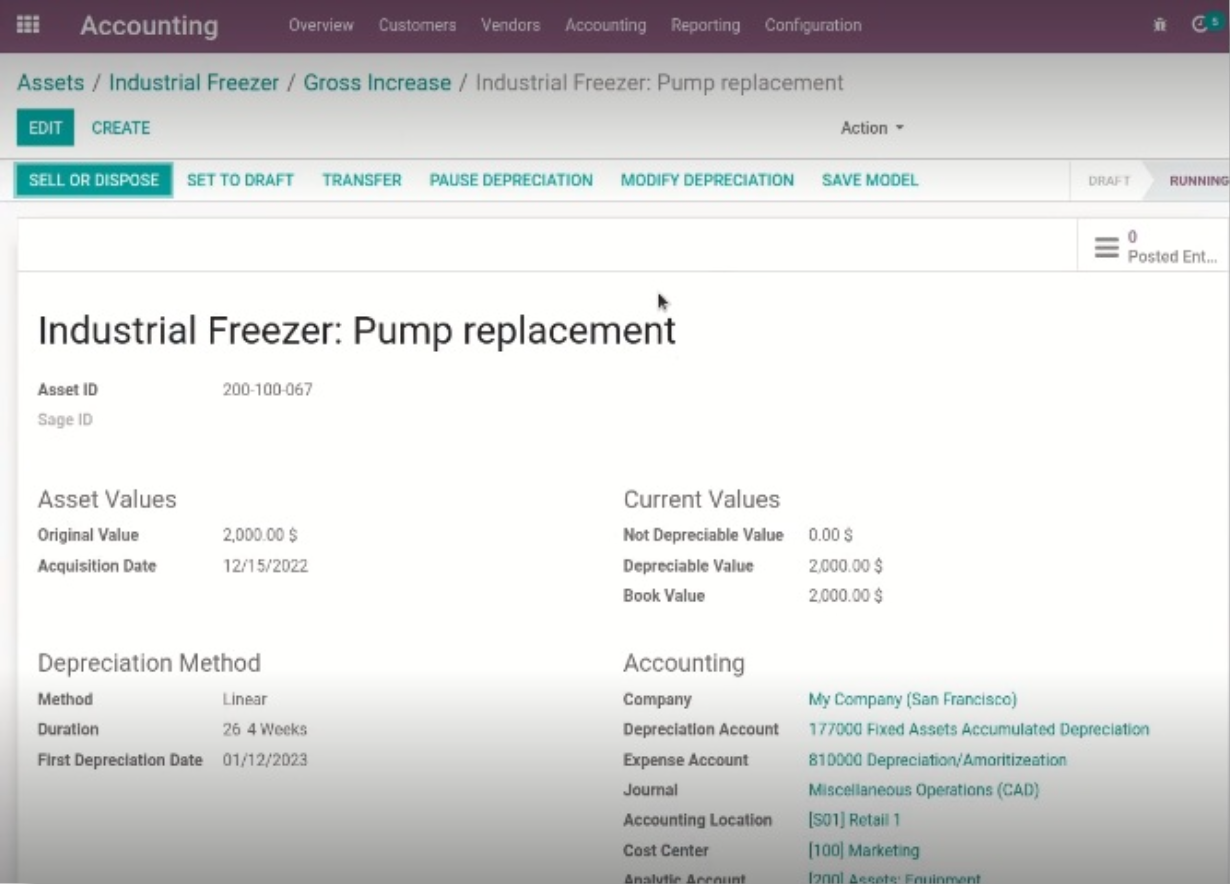
Once an asset has been confirmed and depreciations calculated, we can modify the asset and add value to it.
Navigating to the Asset Management
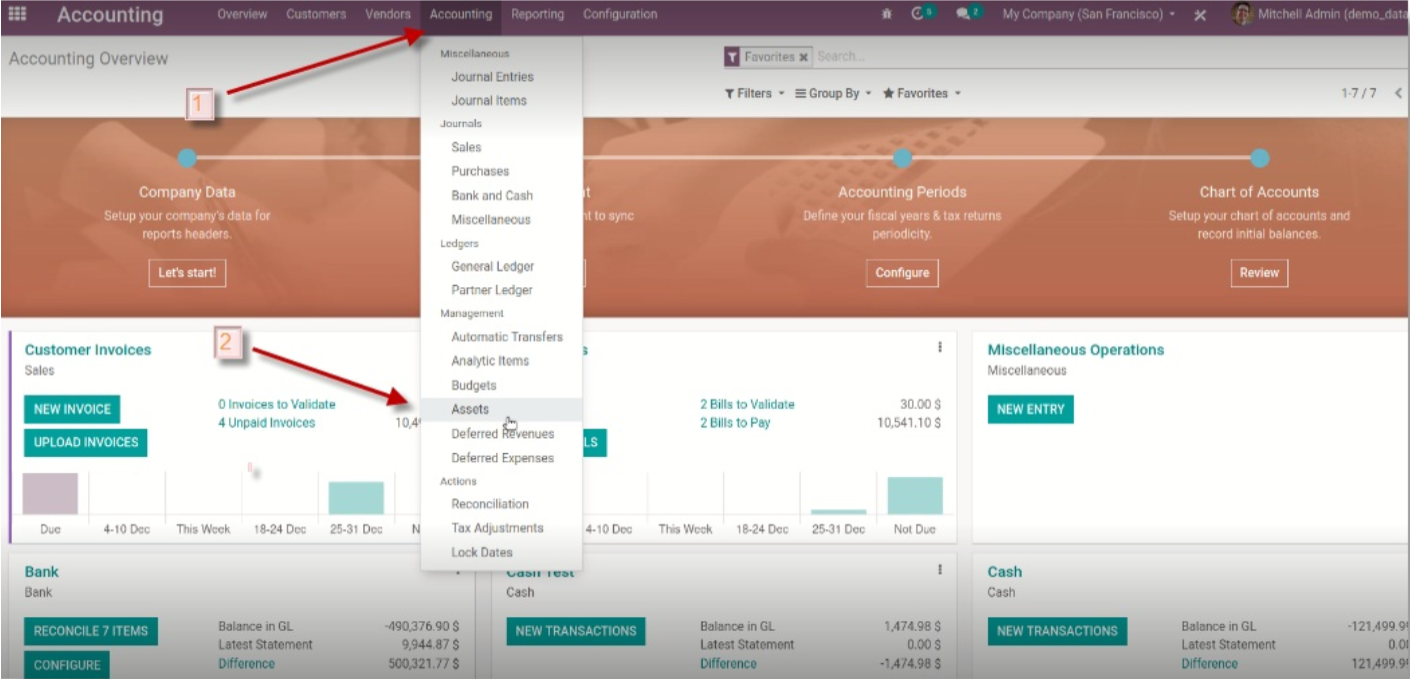
- Open the Accounting module in Odoo.

- Select Accounting from the dropdown menu.
- Click on Assets.
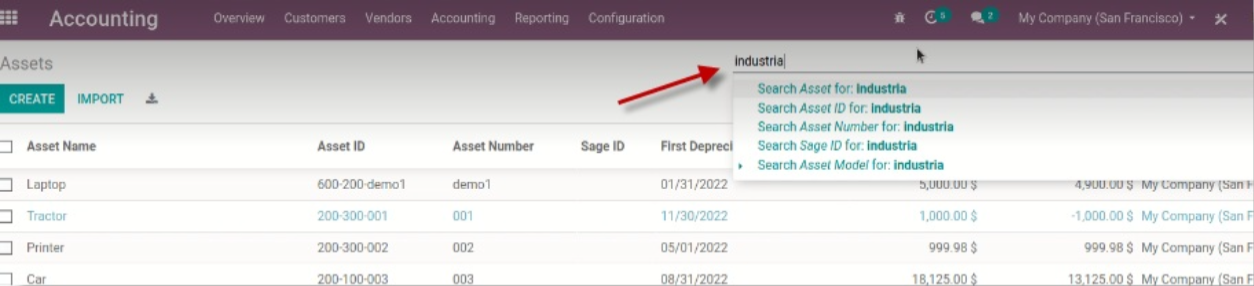
- Use the Quick Search menu to locate a specific asset.

Adding Value to an Asset
- Click on Modify Depreciation.
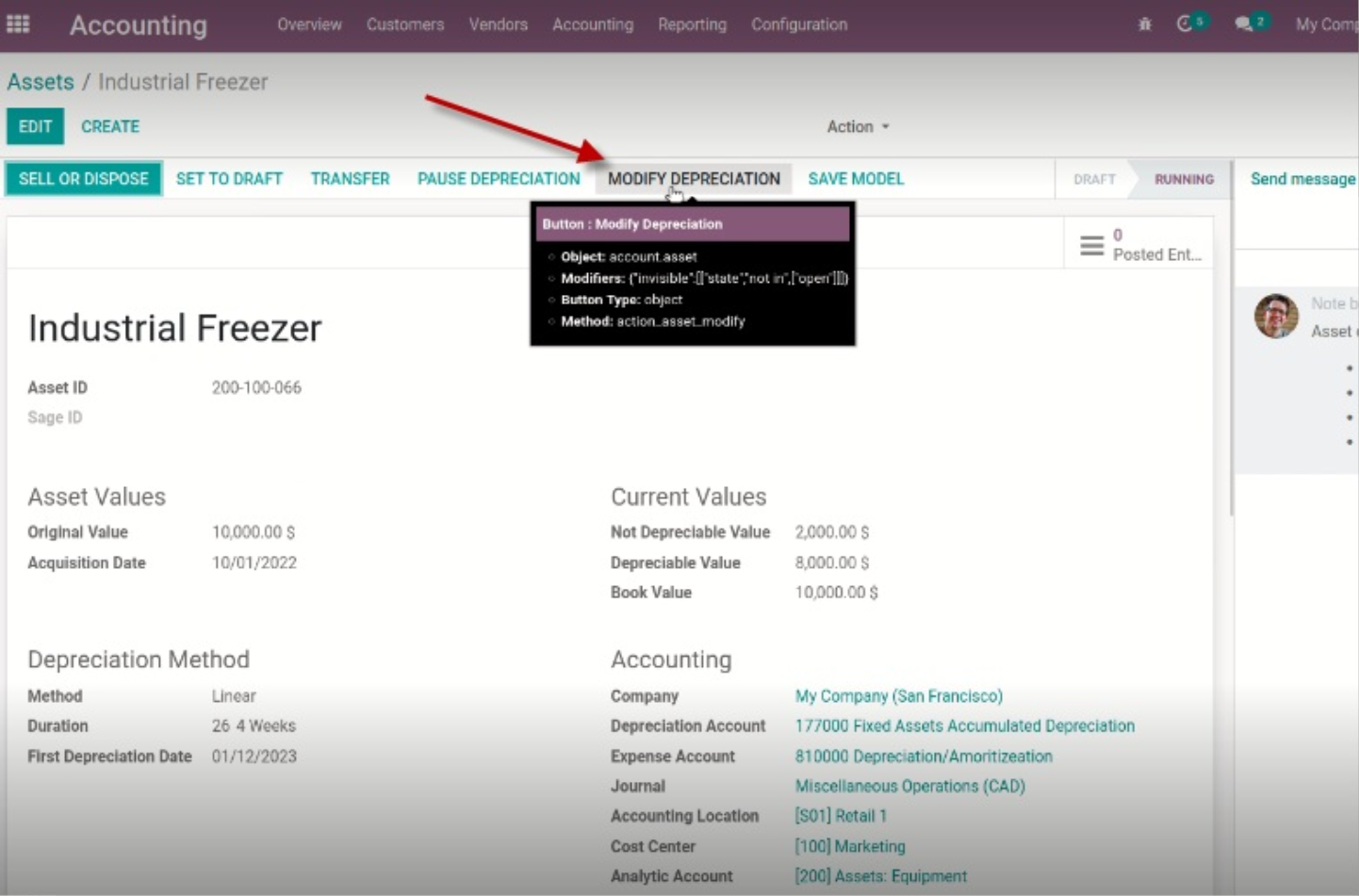
- Choose Modify Asset.
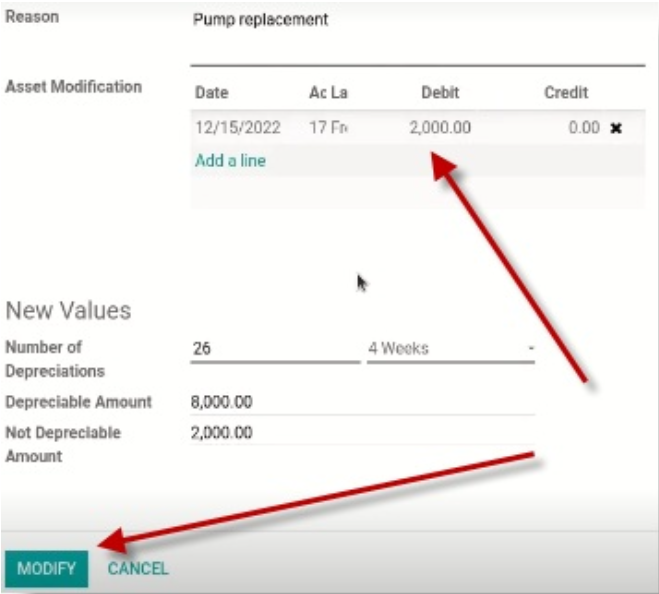
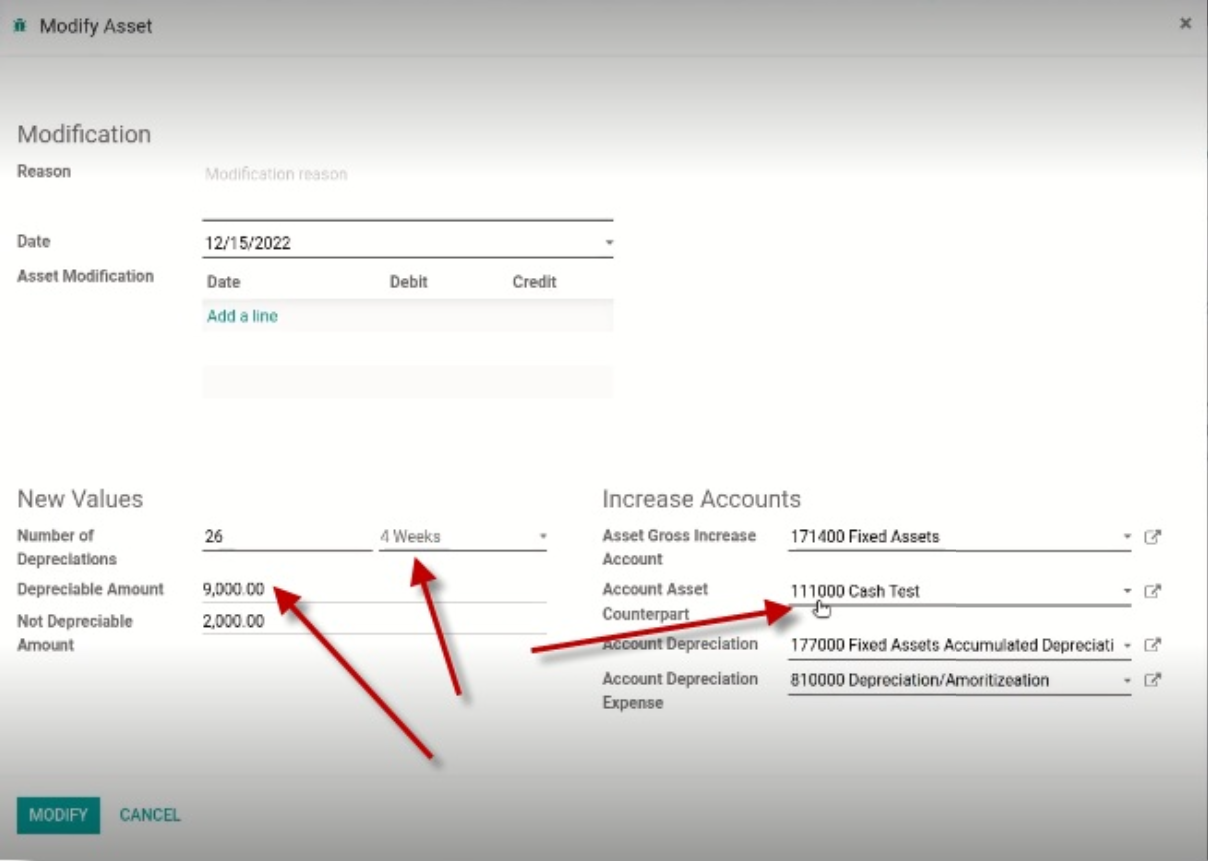
- Enter a Reason.
- Add a new line to specify the modifications.
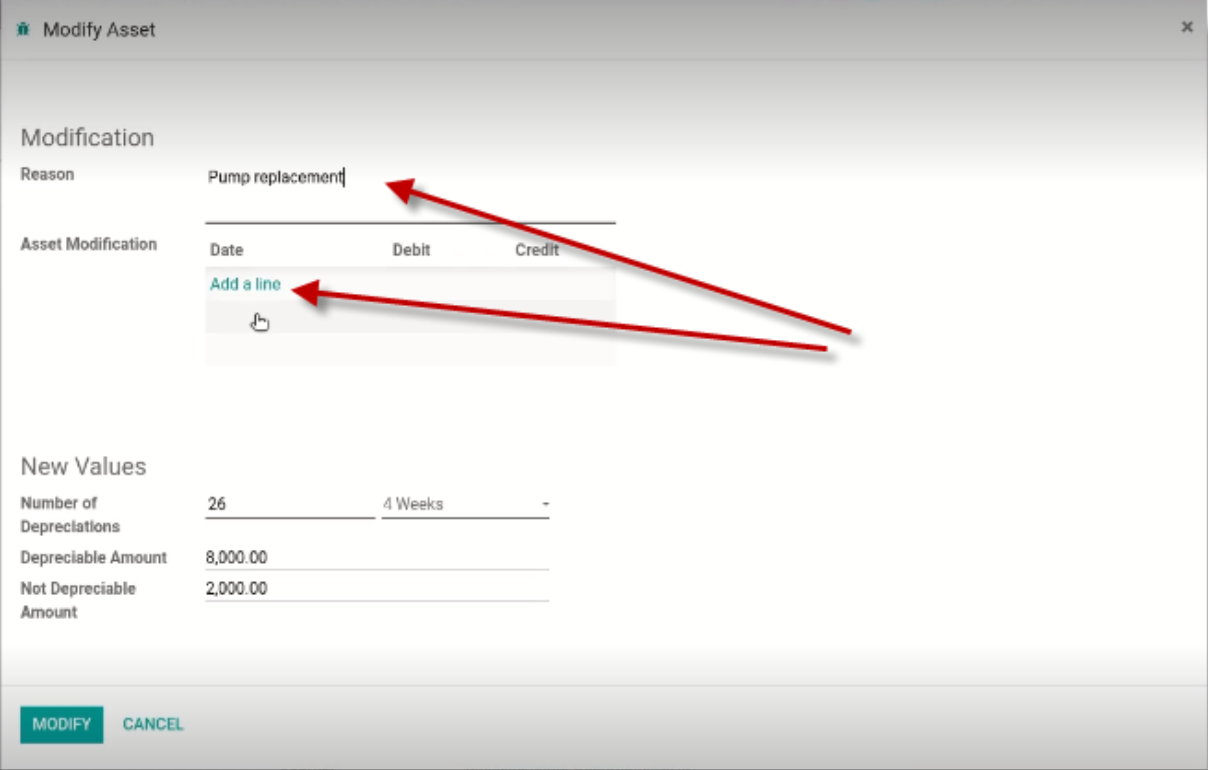
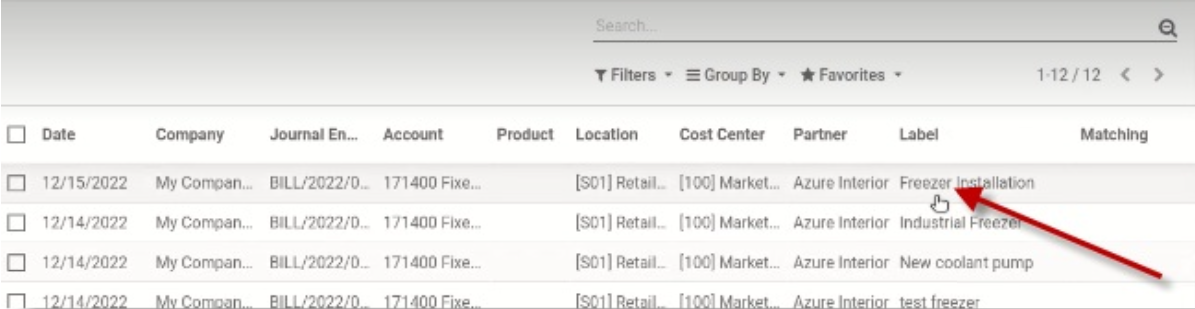
- Select the line and click Modify.
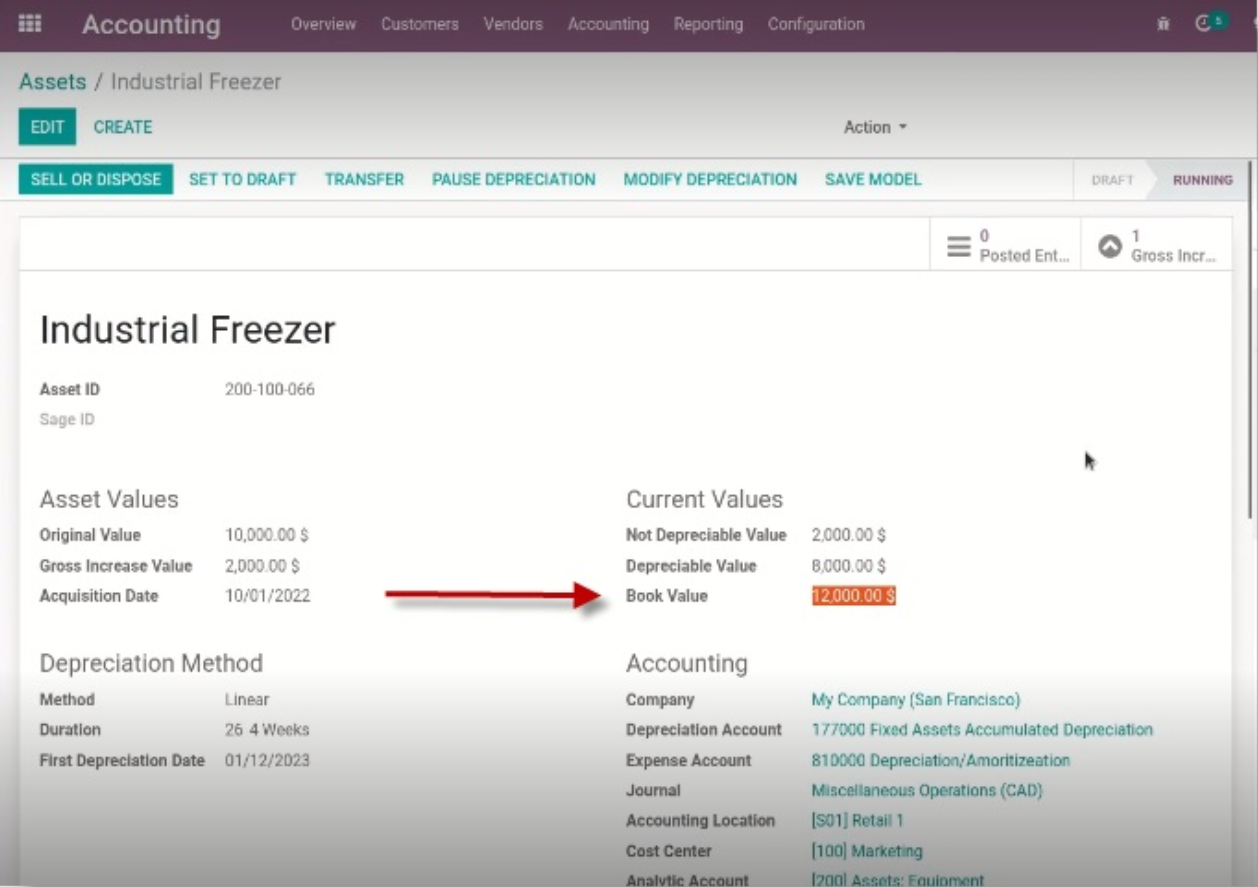
Once the modification is applied: - The Book Value will be updated.
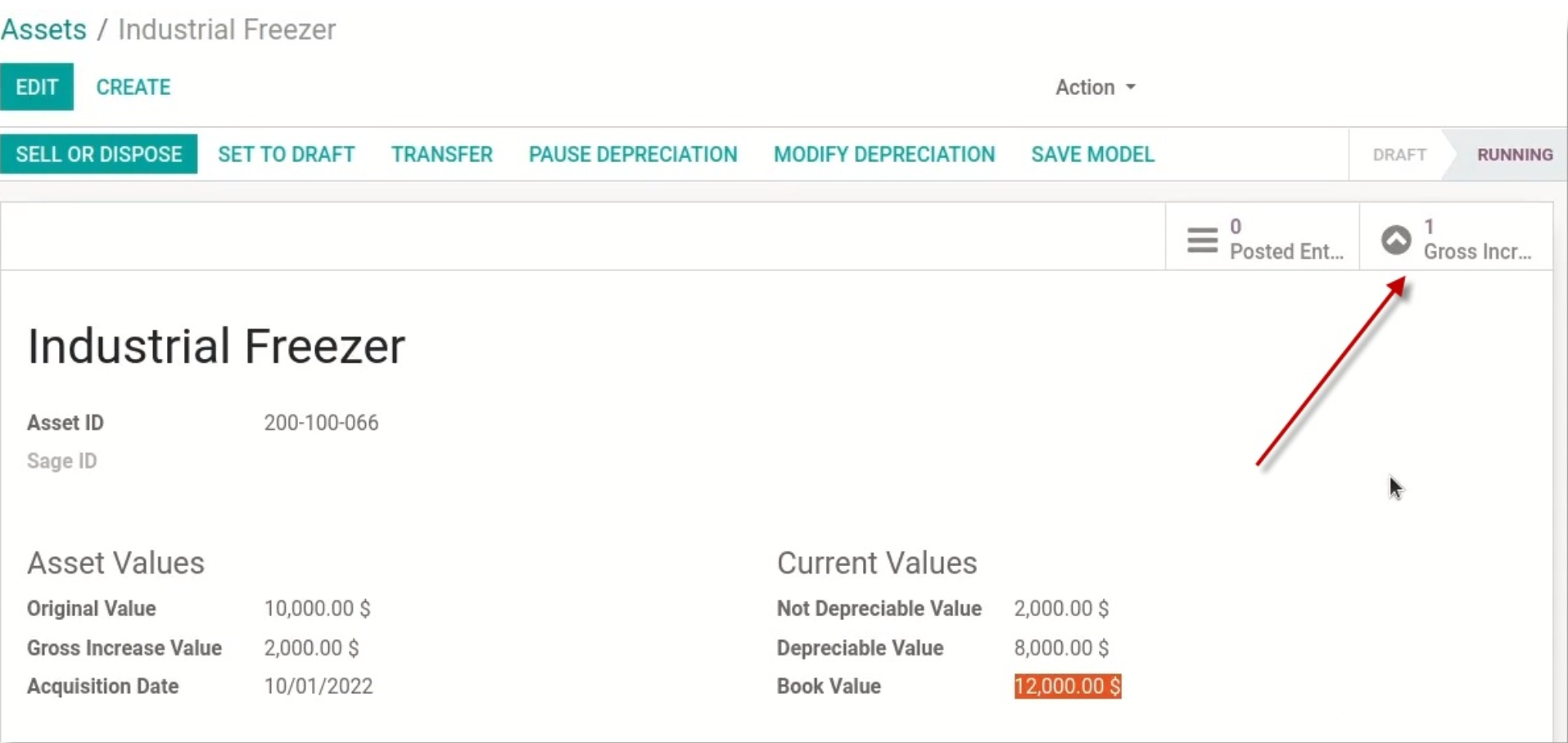
- A child asset is created, which will have its own set of depreciations.
Adjusting Depreciable Amounts and Time Periods
- Value can also be created without adding a line by changing Depreciable amounts / Time periods.
- A Counterpart Account needs to be selected from the dropdown to indicate where the value is coming from and where it is being moved to.
Important Notes
- When there is an increase in asset value, a child asset is created with its own depreciations.
- This modification can only be done once the asset has been confirmed.
- Value can only be increased by creating a modification.

Company Information
Community Natural Foods Head Office
AB, Canada
Website
GST: 101072080RT0001